Full page capture
The page scrolls itself while the shot is assembled, then stitches into one sharp image at retina resolution. Visible-area only is a keystroke away.
FullCapture screenshots the entire scrollable page, not just the part that fits on screen, then hands you an editor to mark it up, blur what is private, and save it.
Free forever · No account · No watermark · Works offline
No upsell, no pro tier, no export limit. Every feature below is in the free version.
The page scrolls itself while the shot is assembled, then stitches into one sharp image at retina resolution. Visible-area only is a keystroke away.
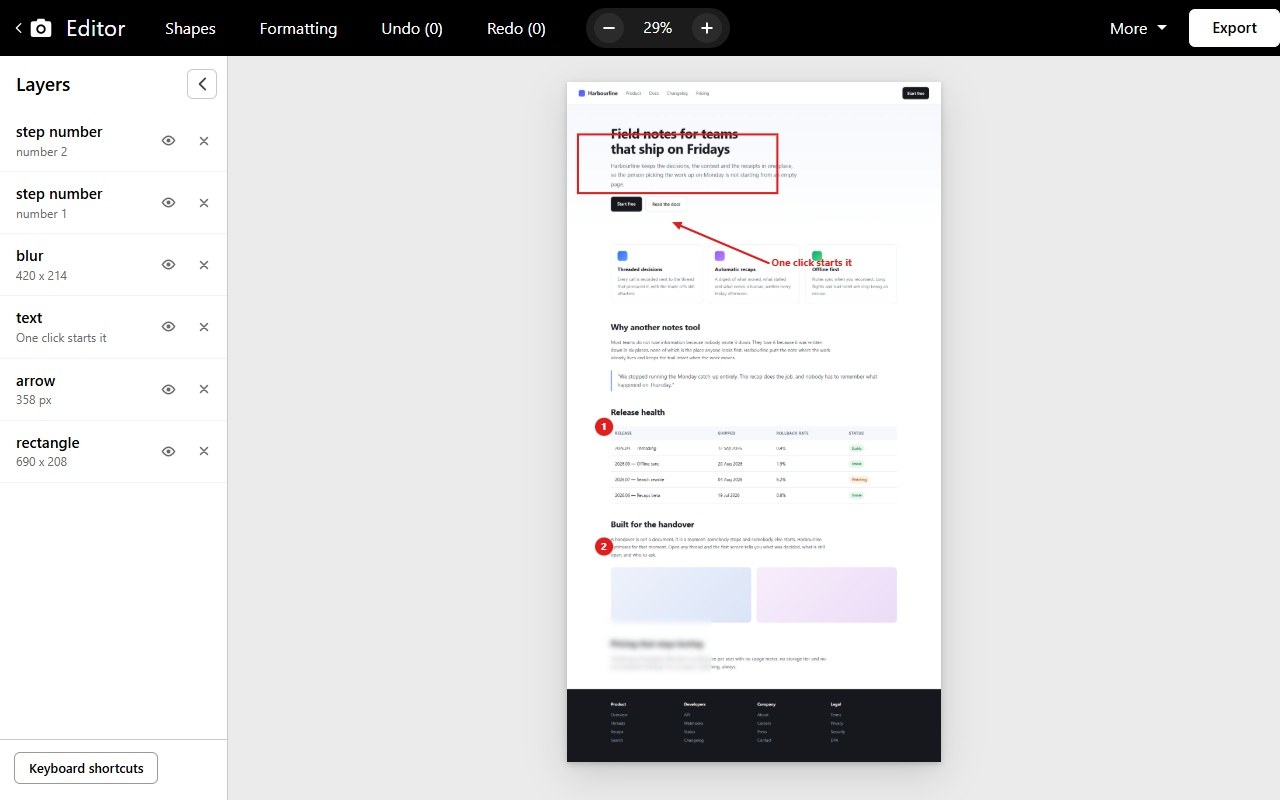
Arrows, boxes, ovals, lines, text, numbered steps, stickers and a highlighter, with a layers panel, undo, zoom and exact position controls.
Blur or pixelate names, emails, balances and faces before anything leaves your machine. Adjustable radius, as many regions as you need.
Crop to what matters, add padding, a border, and an optional strip across the top carrying the page URL and the date it was taken.
Save as an image, build a PDF as one long page or paginated onto A4 or Letter, or copy straight to the clipboard. File names come from your own template.
No servers, no uploads, no analytics. FullCapture makes no network requests at all, and only reads the one tab you asked it to capture.
Click the FullCapture icon or use your configured keyboard shortcut. A progress panel counts the frames while the page scrolls itself, then puts your page back exactly where you left it.
The capture opens in the editor. Point at things with arrows, number the steps, blur what should not be shared, crop away the noise.
Download a PNG, JPG or PDF, or copy it to the clipboard and paste it straight into a chat. Everything stays in your library until you delete it.
That is not a promise about what we do with your data. There is no "we" in the loop at all: the extension has no server to talk to.
Yes. Every feature is free, with no export limit, no watermark and no paid tier waiting behind a button. It is open source under the MIT licence.
Completely. The capture, the editor, the PDF export and the library all run inside your browser. You can disconnect from the internet and everything still works.
Chrome does not let any extension read its own internal pages, so
chrome:// pages, the Chrome Web Store and the new tab page are off limits. That is a
browser rule, not a FullCapture limitation. Everything else is fair game.
They are handled. Sticky elements are placed once, where they belong, and pinned headers are hidden after the first frame, so they do not repeat down the whole screenshot the way naive stitching does.
Yes. Before capturing, FullCapture walks the page once so lazy images have a chance to load, then re-measures in case the page grew.
Yes. Edits are non-destructive: the original screenshot is kept and your annotations are stored beside it, so you can reopen a capture weeks later, move an arrow, or reset the whole thing back to the original pixels.
In your browser's own storage on this computer, and nowhere else. Deleting a capture removes it immediately; uninstalling the extension removes all of them.
Yes. FullCapture is published on the Chrome Web Store and on Edge Add-ons. It also runs in other Chromium-based browsers such as Brave, Vivaldi and Opera - install it from the Chrome Web Store listing. Firefox is a different extension platform and is not supported yet.
Install it, press Alt
Shift
P, and watch the page
scroll itself.